
Download DemoCharge – Free Screen Recorder & Demo Creation Tool for Windows, Mac, Android, iOS
Looking for a reliable and intuitive screen recording and demo creation tool? DemoCharge is your go-to solution for capturing screen activity with precision. Whether you're creating step-by-step tutorials, software demos, or online presentations, DemoCharge simplifies the entire process.
With support for full-screen, window-specific, and custom-area recording, this versatile tool ensures you never miss a detail. Its lightweight design and user-friendly interface make it ideal for beginners and professionals alike. The software also allows instant import of recordings into its built-in editor for quick enhancements like adding text, titles, and highlights.
While it lacks audio recording and visual feedback during custom area selection, its strengths in video quality and export flexibility make it a top contender among free screen recording tools. Download DemoCharge today and elevate your digital communication with professional-grade demos.
Key Features of DemoCharge
DemoCharge stands out in the crowded screen recording market thanks to its streamlined yet powerful feature set. One of its most praised aspects is the ability to record any portion of your screen—whether it’s your entire desktop, a specific application window, or a custom-defined area. This level of control is essential for creating focused tutorials that avoid distractions. The recording process can be initiated instantly using customizable hotkeys, enabling seamless workflow without interrupting your thought process.
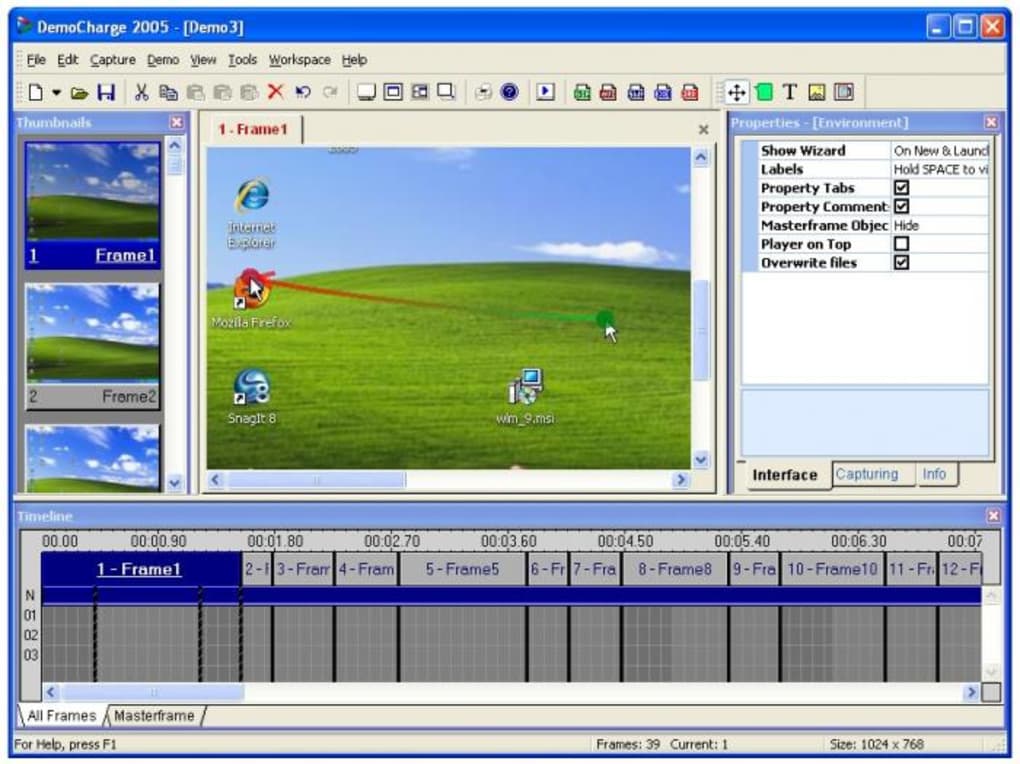
Once the recording is complete, DemoCharge automatically imports the video into its lightweight editing suite. This built-in editor allows users to enhance their recordings with simple but effective tools. You can add animated text overlays, insert titles, and use highlight markers to draw attention to specific UI elements. These features are perfect for guiding viewers through complex software workflows. The embedded playback window lets you preview your edits in real time, ensuring everything looks polished before export.
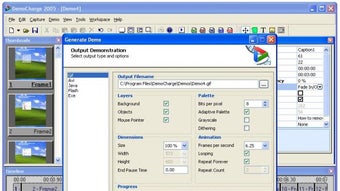
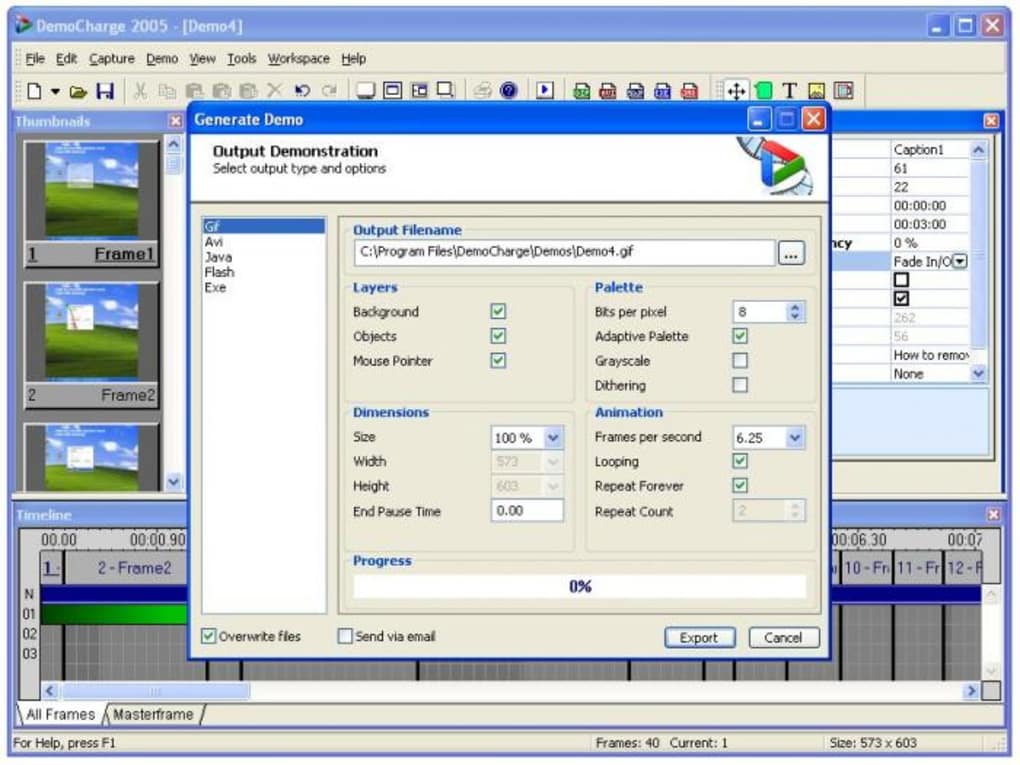
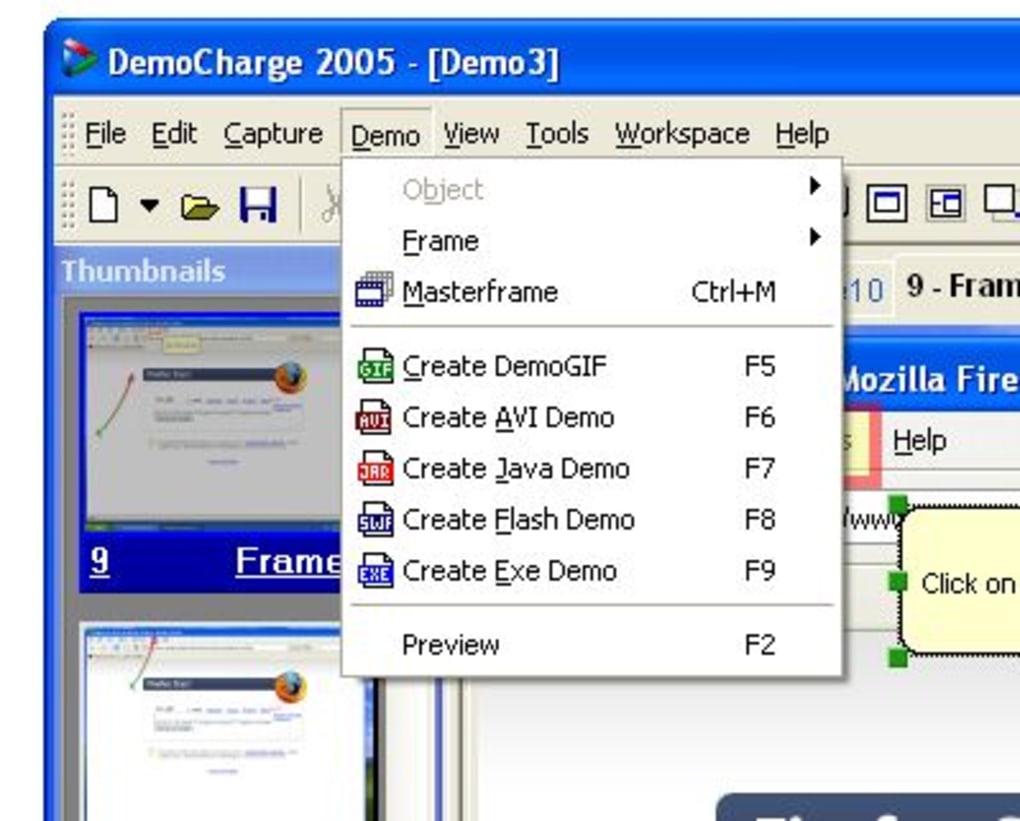
When it comes to output, DemoCharge offers a wide range of formats, including AVI, animated GIF, Java, Flash, and standalone EXE files. This makes it incredibly versatile for different use cases—whether you're embedding videos on a website, sharing them via email, or distributing them as self-running demos. The video quality is consistently high, even at lower file sizes, making it suitable for both web and offline use. Despite its strengths, there are a few limitations: the absence of audio recording and the lack of a visual boundary indicator during custom area selection. Still, for its free price point and ease of use, DemoCharge delivers excellent value.
How to Install and Use DemoCharge
Getting started with DemoCharge is quick and straightforward, whether you're on Windows, Mac, Android, or iOS. First, visit the official website and download the appropriate version for your operating system. The installer is small, fast, and installs without requiring administrative privileges on most systems. Once installed, launch the app and take a moment to explore the main interface, which is clean and intuitive.
To begin recording, click the “Record” button or use your assigned hotkey (default is Ctrl+Shift+R). You’ll be prompted to choose your recording mode: Full Screen, Window, or Custom Area. If you select Custom Area, you can drag to define the exact region you want to capture. However, as noted earlier, there’s no visual outline during this process, so it’s crucial to be precise. Once you confirm, the recording starts immediately, and you can perform your task—be it navigating a software interface or demonstrating a workflow.
After finishing, press the hotkey again or click Stop. The recording is instantly imported into the editor. Here, you can add text annotations, highlight buttons or menus, and insert titles.
The timeline-based editor is simple but effective. When satisfied, click Export and choose your desired format. For web use, animated GIFs or AVI files work well.
For standalone distribution, the EXE format is ideal. The entire process—from recording to export—takes just minutes, making DemoCharge a time-saving tool for educators, tech support teams, and content creators.
Compatibility & System Requirements
DemoCharge is designed for maximum accessibility, supporting a wide range of platforms. It runs smoothly on Windows 7 and later, including Windows 10 and Windows 11. For Mac users, the software is compatible with macOS 10.12 and above, ensuring compatibility with both older and newer Apple devices. Mobile users can also benefit from the Android and iOS versions, which allow screen recording directly from smartphones and tablets—perfect for creating mobile app tutorials or sharing quick tips.
System requirements are modest, making DemoCharge suitable for most modern devices. On Windows and Mac, it requires at least 1 GB of RAM and 100 MB of free disk space. The app uses minimal CPU and GPU resources during recording, so it won’t slow down your system even during long sessions. It supports multiple monitors, allowing you to record across displays seamlessly. The mobile versions are optimized for touch interfaces, offering gesture-based controls for starting and stopping recordings.
While the software is free to download and use, it does not require registration or account creation. This privacy-friendly approach ensures your recordings remain secure and private. The developers regularly release updates to fix bugs and improve performance, so staying up to date is recommended. For users who need advanced features like audio capture or multi-track editing, a premium version may be available in the future, though the current free version offers more than enough for most use cases.
Pros and Cons of DemoCharge
- Pros:
- Free to download and use with no hidden costs
- Supports full-screen, window, and custom-area recording
- Instant import into built-in editor for quick enhancements
- High-quality video output in multiple formats (AVI, GIF, EXE, Flash)
- Lightweight and fast, with minimal system resource usage
- Hotkey support for seamless recording initiation
- Works across Windows, Mac, Android, and iOS platforms
- Cons:
- No built-in audio recording feature
- No visual boundary indicator during custom area selection
- Basic editing tools—lacks advanced features like transitions or effects
- Mobile versions may have limited functionality compared to desktop
- Exporting to EXE format requires additional setup for distribution
Frequently Asked Questions (FAQ)
Is DemoCharge free to download and use?
Yes, DemoCharge is completely free to download and use. There are no trial periods, subscription fees, or watermarks on exported videos. The core features—screen recording, basic editing, and multi-format export—are available at no cost.
Can I record audio along with my screen in DemoCharge?
Currently, DemoCharge does not support audio recording. The software focuses solely on visual content. However, you can record your screen and later sync the audio using external video editing tools.
Does DemoCharge work on Mac and mobile devices?
Yes, DemoCharge is available for macOS 10.12 and later, as well as Android and iOS devices. The mobile versions allow you to record your smartphone or tablet screen, making it ideal for creating app tutorials or sharing device tips.
What formats can I export my recordings to?
DemoCharge supports exporting recordings in several formats: AVI, animated GIF, Flash, Java, and standalone EXE files. The EXE format is especially useful for distributing demos that run without requiring additional software.
How do I start a recording using hotkeys?
After installing DemoCharge, go to the settings menu to customize your hotkeys. By default, Ctrl+Shift+R starts and stops recording. You can change this to any key combination that suits your workflow.
Conclusion: Why You Should Download DemoCharge Today
If you're looking for a secure, fast, and free screen recording tool that works across multiple platforms, DemoCharge is an excellent choice. Its ability to capture screen activity with precision, combined with basic yet effective editing tools, makes it ideal for educators, IT professionals, and content creators. While it lacks audio recording and visual feedback during custom area selection, its strengths in video quality, export flexibility, and ease of use far outweigh these minor drawbacks.
Whether you're creating a tutorial for a new software feature, demonstrating a workflow, or sharing a quick guide, DemoCharge simplifies the entire process. The software is regularly updated to improve performance and fix bugs, ensuring a smooth experience over time. With support for Windows, Mac, Android, and iOS, it’s one of the most accessible screen recording tools available.
Don’t miss out on this powerful tool. Download DemoCharge now and start creating professional-quality demos with ease. It’s free, secure, and ready to help you communicate complex ideas through visuals.







